
How Custom Dashboards Save Home Service Companies 10+ Hours/Week
December 1, 2025
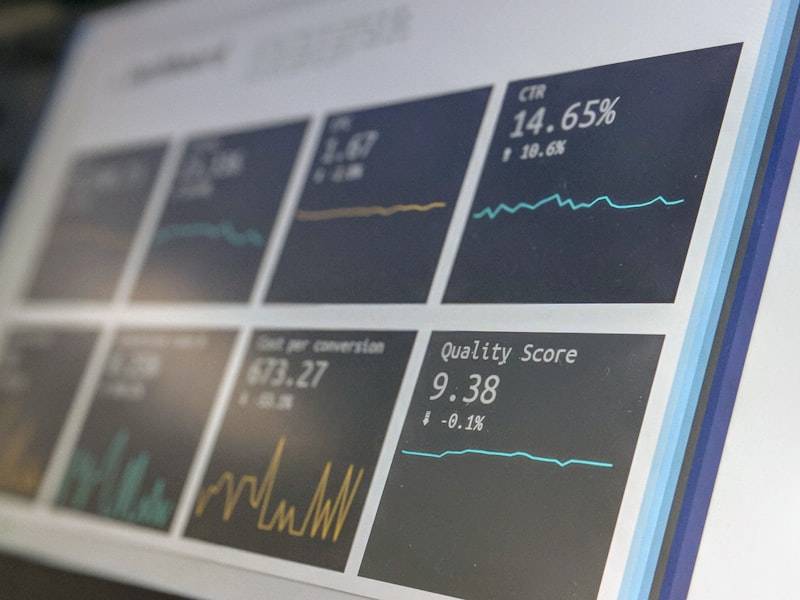
Imagine logging into one screen and seeing everything: today's jobs, crew locations, outstanding invoices, this week's revenue, leads in the pipeline, and overdue follow-ups. No digging through spreadsheets. No asking three different people for updates. No spending Friday afternoon building a report. That's what a custom dashboard does.
What a Custom Dashboard Looks Like
Every business is different, but common dashboard elements for home service companies include:
- Job board — all active jobs with status, crew assignment, and schedule
- Revenue tracker — daily, weekly, monthly revenue vs. targets
- Lead pipeline — new leads, follow-ups needed, conversion rates
- Crew management — who's working, where they are, availability
- Invoice status — outstanding, overdue, paid this period
- Customer map — geographic view of jobs and service areas
Where the Time Savings Come From
The 10+ hours per week typically come from eliminating these tasks:
- Manual report building (2-4 hours/week)
- Status update meetings (1-2 hours/week)
- Looking up information across multiple systems (2-3 hours/week)
- Data entry between systems (2-4 hours/week)
- Answering "what's the status of..." questions (1-2 hours/week)
Want a custom dashboard for your business?
We build dashboards that connect to your existing tools and show you everything in one place.
See What's PossibleReal Example
One of our clients — a home services company managing 50+ jobs per week — was tracking everything in spreadsheets. The office manager spent Friday afternoons building the weekly report. Crews called in status updates that someone manually entered. Invoicing was always behind. We built a custom dashboard connected to their existing tools. Friday reports now generate automatically. Job status updates happen in real time. Invoicing is triggered when jobs complete. They estimate 12 hours per week saved across their team.
Getting Started
A custom dashboard doesn't require replacing your existing tools. We connect to whatever you already use — QuickBooks, scheduling apps, CRMs, even spreadsheets during the transition. Our custom development process starts with understanding your workflow and ends with a tool your team actually wants to use. Contact us for a free discovery call.